All guides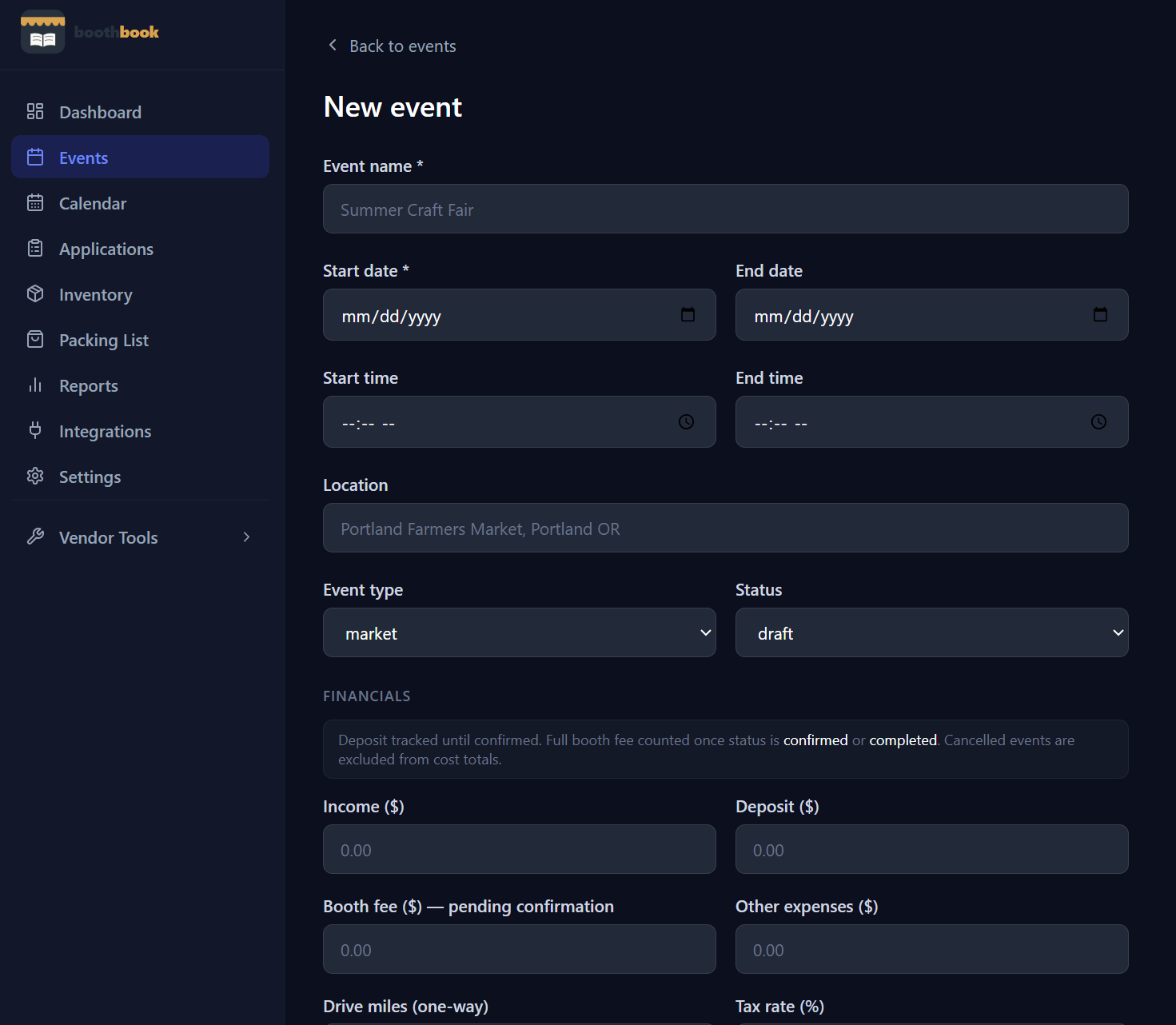
Getting Started
Track your first event
Learn how to log an event in BoothBook — from entering the show details before the event to filling in income and expenses afterwards.
- 1From the Dashboard, click New Event.
- 2Enter the event name, date, location, and type (market, fair, festival, etc.).
- 3After the show, come back and fill in your income, booth fee, and any other expenses.
- 4Optionally add your drive miles — BoothBook will calculate the tax deduction automatically.
- 5Save the event. Your dashboard updates instantly.
Related guides
Set up your business profile
Configure your business name, home address, mileage rate, and social details so BoothBook can auto-calculate deductions and personalize your reports.
Understand Income Per Hour (IPH)
Income Per Hour helps you compare shows on a fair basis — learn how BoothBook calculates it and how to use it to prioritize next year's market schedule.
Track your mileage
Log round-trip miles for each show and let BoothBook automatically calculate your IRS mileage deduction — no spreadsheets required.