All guides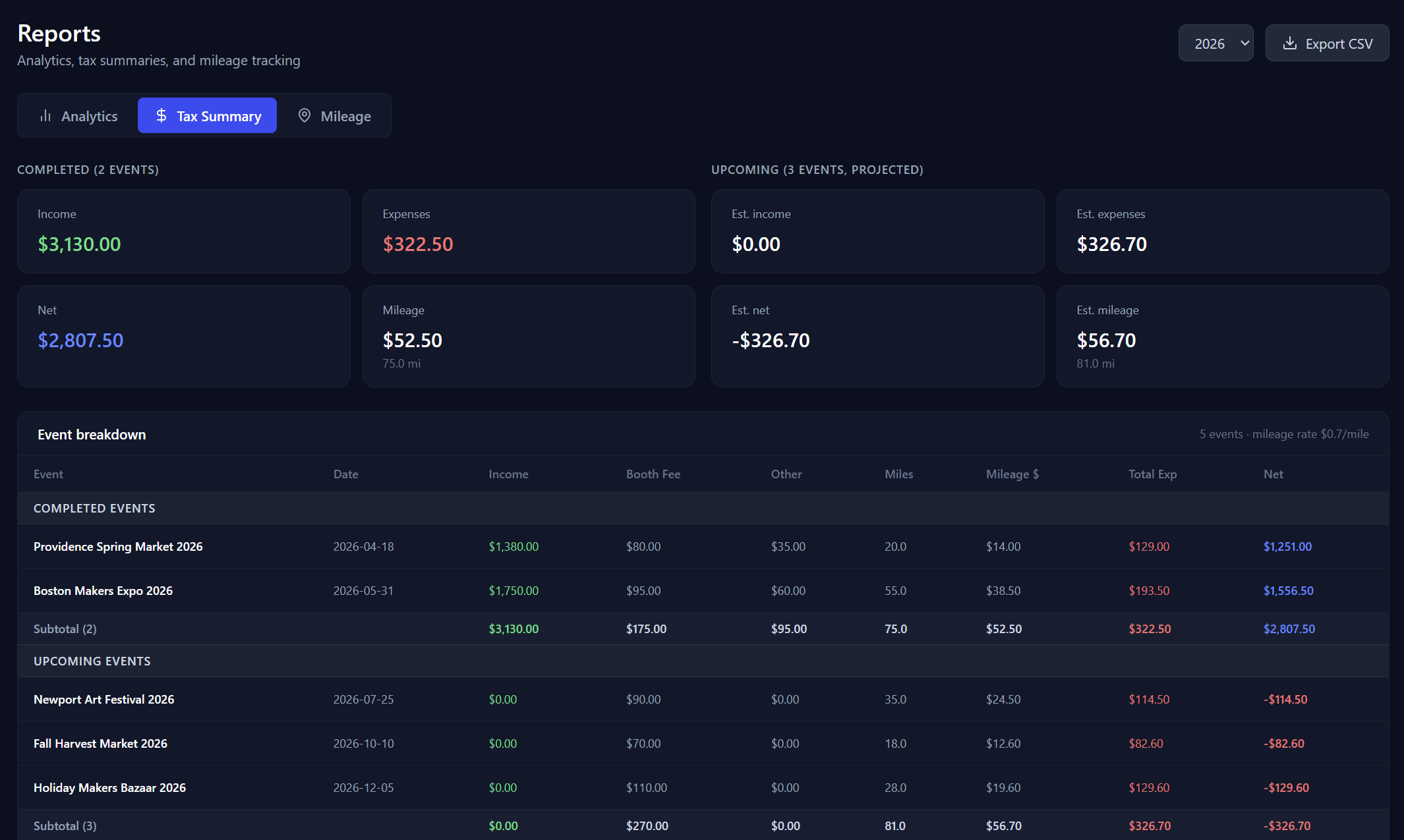
Reports & Taxes
Run a tax report
Generate a complete year-end tax summary — income, expenses, and mileage deductions — and export it as a CSV to hand to your accountant.
- 1Go to Dashboard → Reports.
- 2Select the year you want.
- 3The Tax Summary tab shows all income, expenses, and mileage for that year.
- 4Click Export CSV to download a spreadsheet you can hand to your accountant.
Related guides
Track your mileage
Log round-trip miles for each show and let BoothBook automatically calculate your IRS mileage deduction — no spreadsheets required.
Understand the analytics dashboard
Walk through every section of the Analytics dashboard — year-over-year comparisons, quarterly revenue charts, top events, and expense breakdowns.