All guides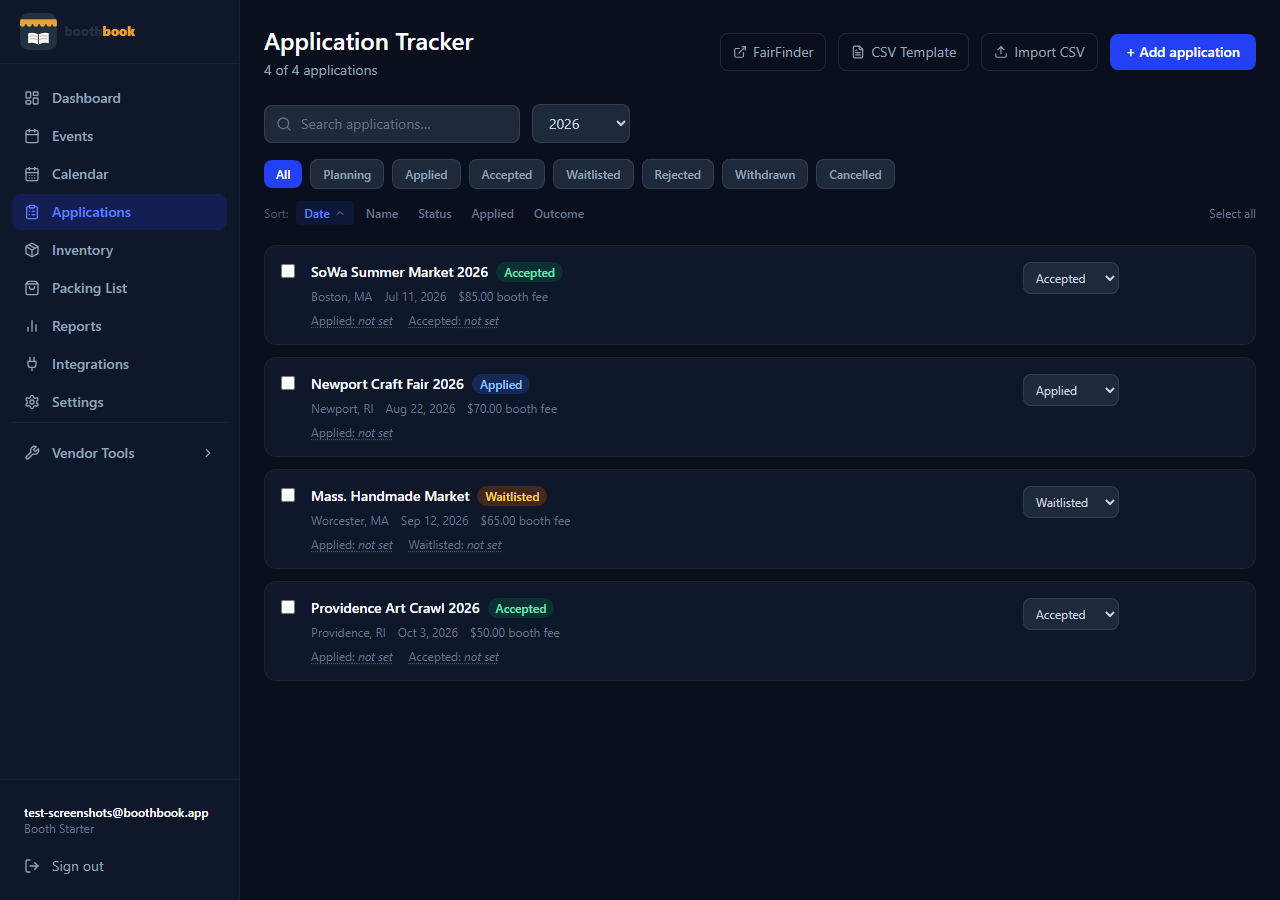
Applications
Find markets to apply to using FairFinder
Browse and discover craft fairs, art markets, and book fairs near you through FairFinder — right from within BoothBook.
- 1Go to Dashboard → Applications.
- 2Click the "FairFinder" button in the top-right header. This opens fairfinder.cc — a directory of craft fairs, art markets, and book fairs across the US.
- 3Use the search bar and filters (state, event type, vendor fit) to browse markets that match your product.
- 4Click any market card to see full details: dates, location, website, Instagram, and application link.
- 5Click "Apply Now" on a market's detail page to open its application. While you're applying (or after you've submitted), go back to Dashboard → Applications and add the market manually to start tracking its status.
- 6As you hear back from organizers, update the status in BoothBook from Applied → Accepted or Waitlisted.
Related guides
Use the applications tracker
Manage every market application in one place — log it when you apply, update the status as you hear back, and convert acceptances into full event records.
Set up your public vendor page
Create a shareable public page that shows customers your upcoming markets — no account needed on their end, just a clean link you can put anywhere.