All guides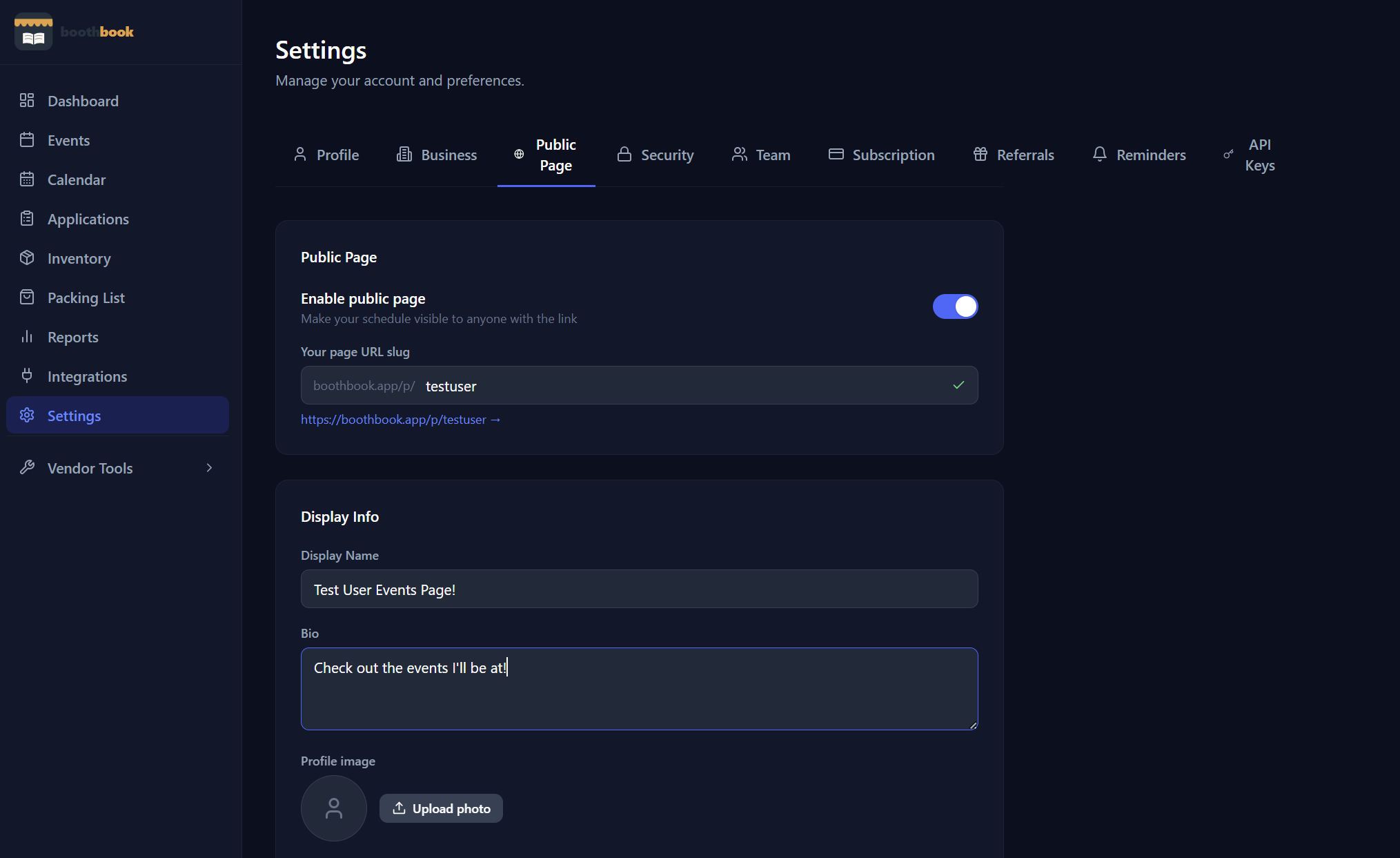
Tools & Integrations
Set up your public vendor page
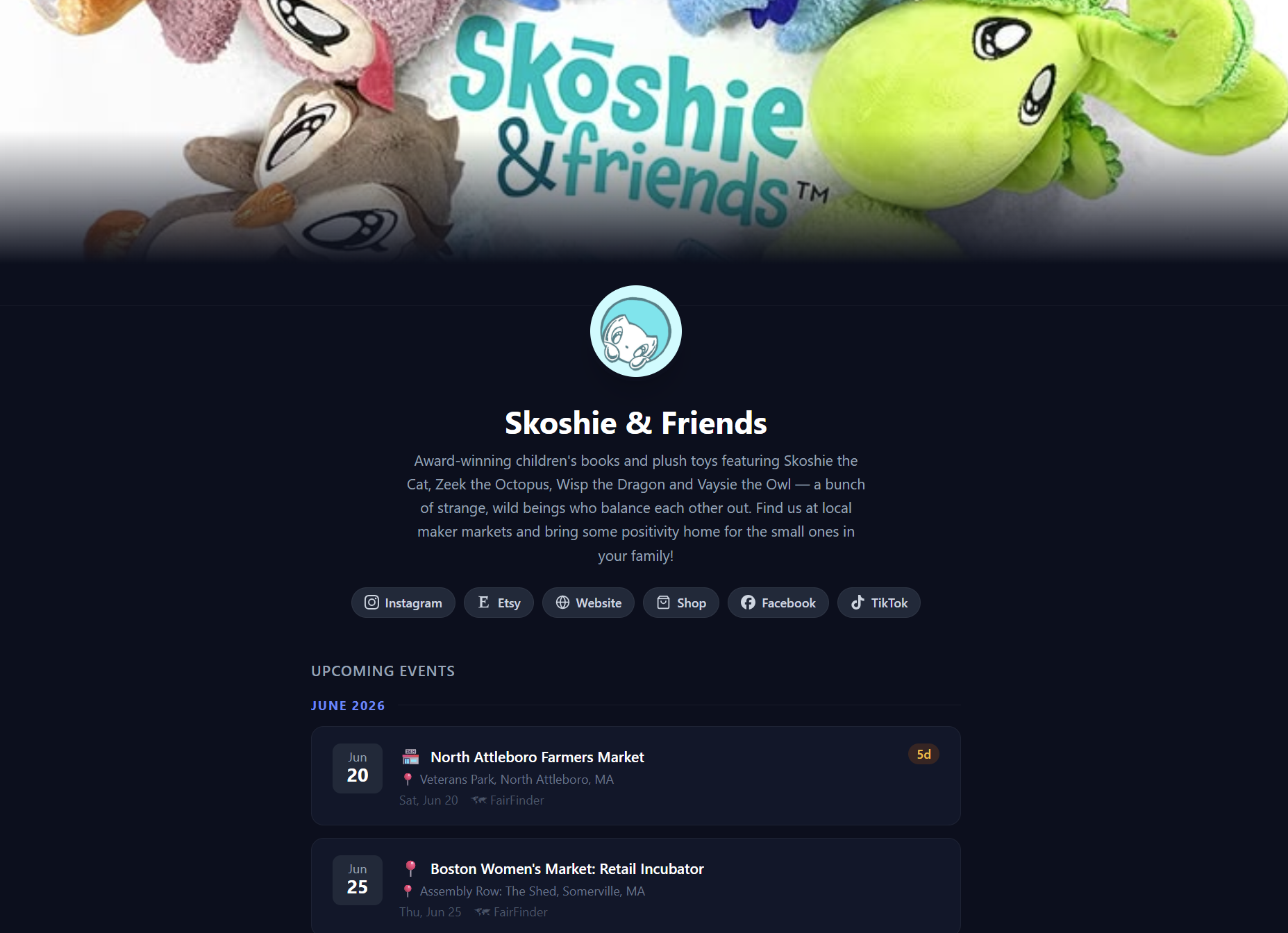
Create a shareable public page that shows customers your upcoming markets — no account needed on their end, just a clean link you can put anywhere.
- 1Go to Settings → Public Page.
- 2Toggle "Enable public page" on.
- 3Choose a URL slug — this becomes your shareable link (e.g. boothbook.app/p/your-name).
- 4Add your display name, a short bio, and links to your social profiles.
- 5Optionally upload a profile photo.
- 6Share the link on your Etsy bio, Instagram, or business cards. Customers see your upcoming markets without needing an account.
Related guides
Connect integrations
Link BoothBook to Google Calendar, Shopify, Etsy, or QuickBooks so your event and sales data stays in sync automatically.
Find markets to apply to using FairFinder
Browse and discover craft fairs, art markets, and book fairs near you through FairFinder — right from within BoothBook.